A meal-prep ordering app that makes healthy eating the easy choice.
Superfit Foods sells ready-to-eat, health-focused meals on a weekly subscription — a business that lives or dies on how easy it is to order the same week, over and over. We designed and built their mobile ordering app so a customer can set up a full week of meals in a couple of minutes, then come back and reorder without starting over.
One guided flow, built around the weekly routine.
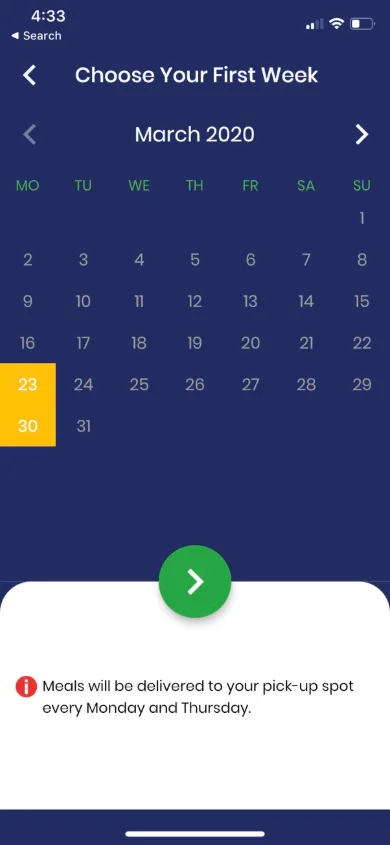
Ordering meal prep is a weekly habit, so the app is built as one guided flow: pick where you'll collect your meals, choose your start week, set your plan and diet, choose how many meals you want on each delivery day, add snacks, flag the foods you don't eat, review and pay. Every screen asks one question, so nothing in the ordering path is confusing or a dead end.
Onboarding that explains the service
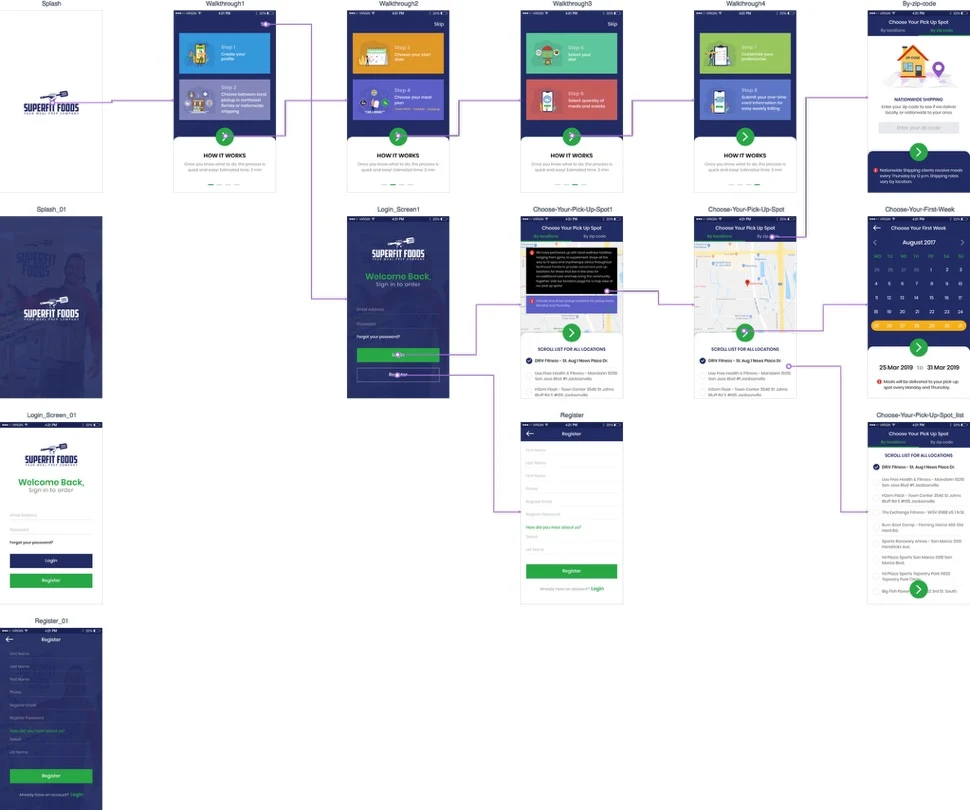
A short "how it works" walkthrough, then sign-in or registration, including a "how did you hear about us?" question so the business knows which marketing is bringing in customers.
Pickup spots or shipping
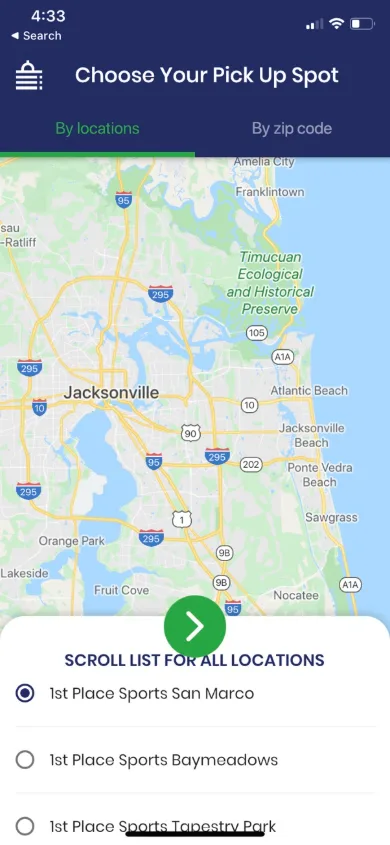
Customers choose a local pickup location from a map or a scrollable list of partner locations around Jacksonville, or enter a ZIP code for shipping outside the pickup area.
Plans, diets and preferences
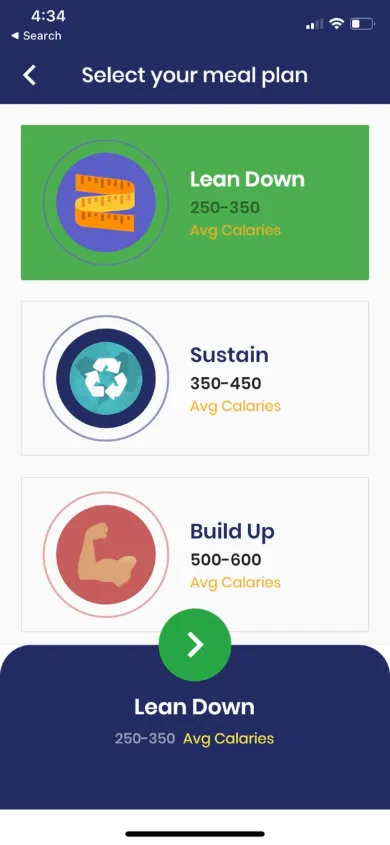
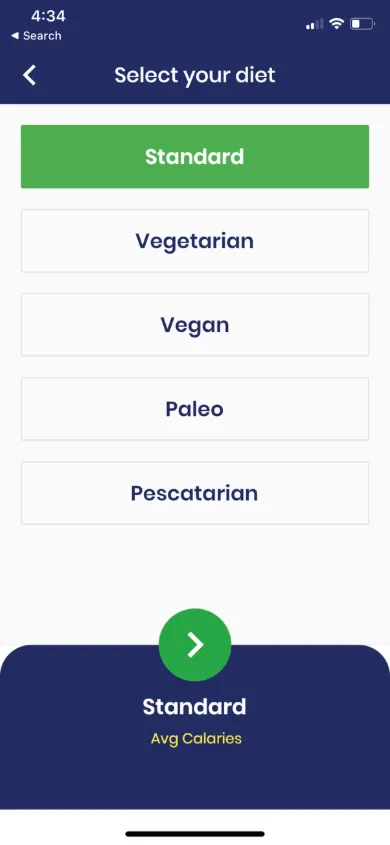
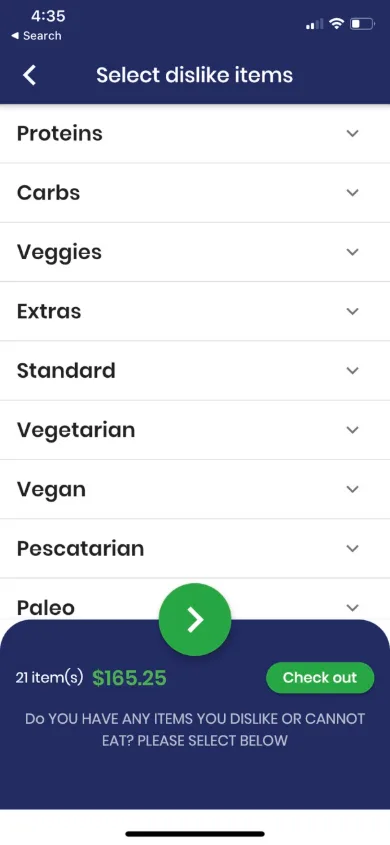
Three calorie-based plans (Lean Down, Sustain and Build Up), five diets (Standard, Vegetarian, Vegan, Paleo and Pescatarian), and a dislikes screen that filters out the proteins, carbs, veggies and extras someone doesn't eat.
Meals by delivery day
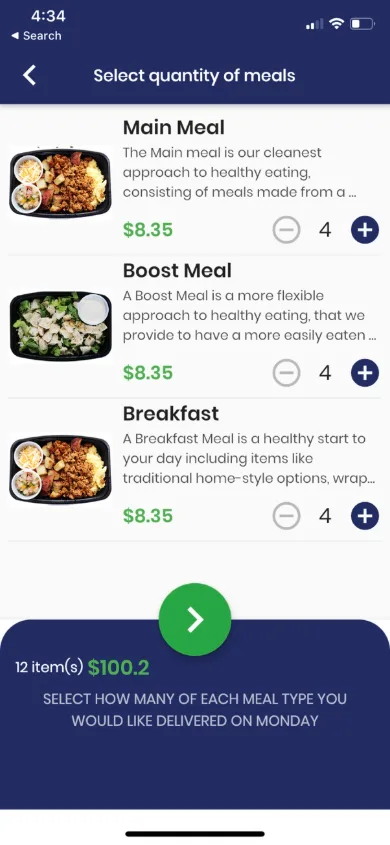
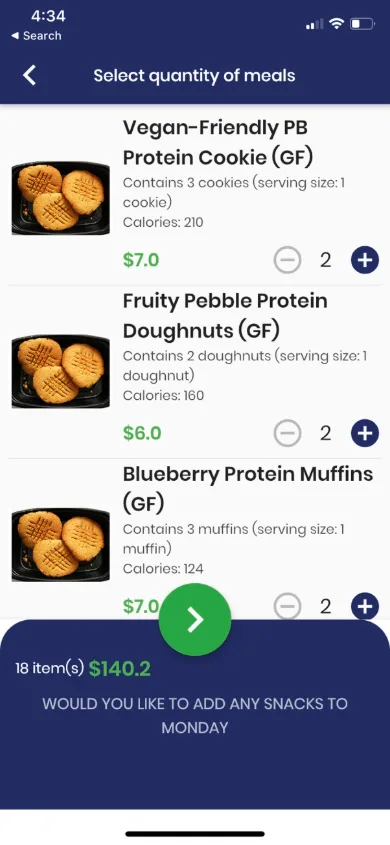
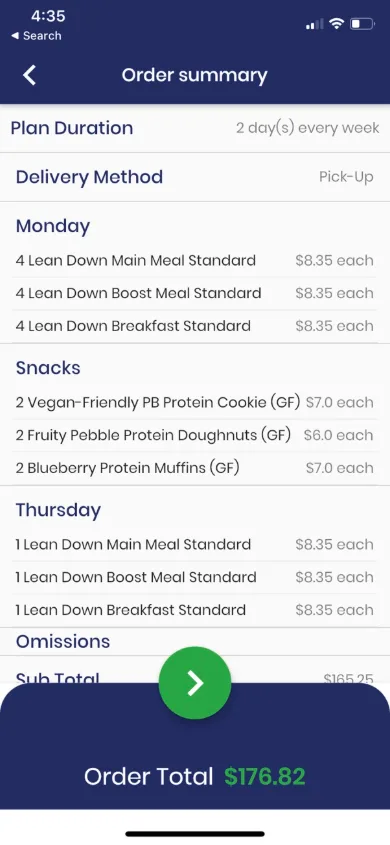
Customers set how many main meals, boost meals and breakfasts they want for each delivery day, add snacks, and see a full order summary for the week before paying.
Billing that matches the routine
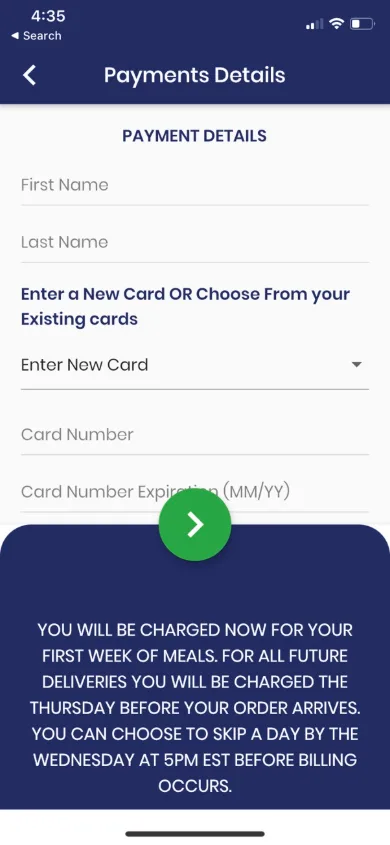
The first week is charged at checkout and later weeks are charged ahead of each delivery, with a clear weekly deadline to skip a week. The payment screen spells this out in plain language so there are no surprises.
Designed from wireframes up
We mapped the full flow screen by screen before building, so every tap leads somewhere obvious and nothing in the ordering path is a dead end.
Scope of the work.
UX flow & wireframes
A screen-by-screen map of the whole ordering journey, from the first launch to a repeat order, planned and reviewed before any design or code.
App UI design
Clean, one-question-per-screen layouts with large tap targets, so ordering is quick on a phone. See UI/UX design.
Ordering & subscription flow
Pickup or shipping, start week, plan, diet, meals per delivery day, snacks and dislikes, all saved to the customer's account so the next week takes a few taps.
Payments & weekly billing
Checkout with a saved or new card, with the weekly charge timing and skip deadline explained right on the payment screen.
App development
The app itself, built to handle the same customer coming back every week. See mobile app development.
The real competitor is a fast-food drive-thru.
Superfit isn't just competing with other meal prep companies. It's competing with the option of doing nothing and grabbing takeout instead. The app had to make placing a healthy order faster and easier than skipping it, week after week.